1.53 FAQ-172 How to clip a 3D graph?
3D-Clipping
Last Update: 10/12/2023
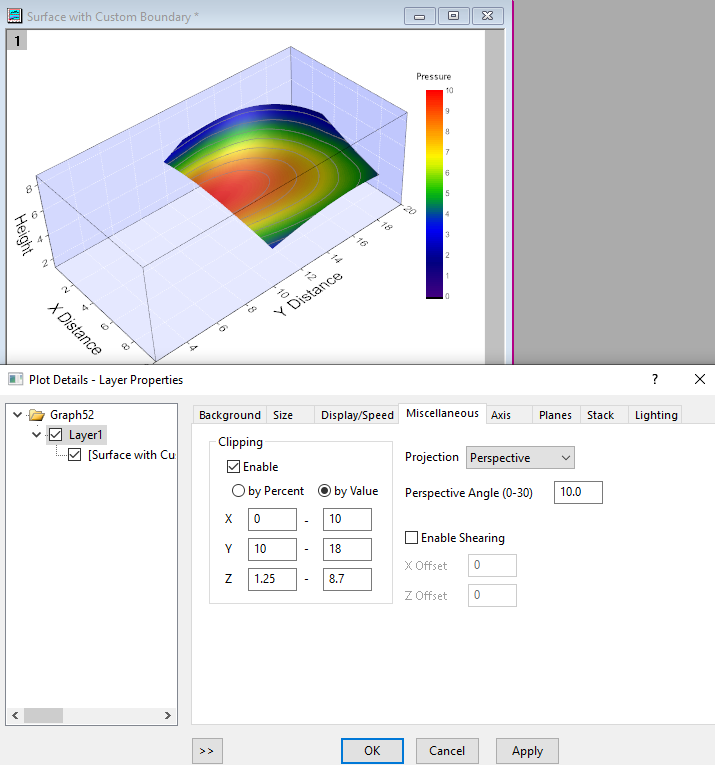
To clip 3D OpenGL plots within the current axis frame:
- With the 3D OpenGL graph window active, select Format: Layer to open the Plot Details dialog box.
- Go to the Miscellaneous tab and check Enable under Clipping.
- Choose by Percent or by Value(newly added since Origin 2020) as needed.
- Enter the From and To percent or value for X, Y and Z, respectively.
Note: 3D clipping is not supported for 3D Ternary Colormap Surface graphs.
Keywords:3D, Clip, Clipping, Margin, surface range, show certain axis range, specified axis range
Minimum Origin Version Required: 9.1 SR1