8.9.5 Inserting OLE Objects in Graphs (and Layouts)
Graph-InsertOLE-Obj
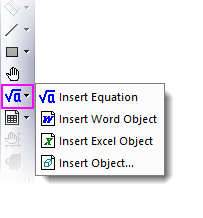
Insert Equation
From version 2023b, Origin builds in a SVG-based LaTeX equation tool. This new Insert Equation tool does not require users to manually install any extra libraries or softwares. All it needs is MathJax JS library, which is shipped with Origin (files in <Origin ProgramData folder>\JS\MathJax\). On the other hand, the old Insert Equation tool requires Mathtype or Microsoft’s Equation editor installed and the add-on LaTeX App also requires MiKTex installed to use.
- With the Graph (or Layout) window active,
- (a) Click Insert Equation buttons on Tools toolbar, or
- (b) Select menu Insert: LaTeX Equation, or
- (c) Right click in Graph page and select Insert LaTeX Equation from context menu, or
- (d) For mixed text and LaTeX equation, add a Text object to the graph. Double click to enter in-place edit mode. Right click and select Insert: LaTeX Equation from the context menu.
A LaTeX Equation Editor will open allowing you to enter the Latex equation in the top edit box and preview it rendered in the bottom panel.

Tips...
- You can click the F(x) button
 to open a list of Origin's fitting functions (incl. your user-defined functions). Pick a function and edit it in the top box.
- To rotate the equation object, you can (a) select or enter a degree angle in the Latex Eqation Editor; or (b) click the equation object twice (not double click) to enter the rotation mode, and then drag one of the four anchors freely.
- You can always double click on the LaTeX object to reopen the LaTeX Equation Editor to modify/edit.
- If you copy some plain text (LaTeX markup), right click on blank area inside the Graph window and choose Paste LaTeX, the text will be pasted in a text object rendered as a LaTeX object.
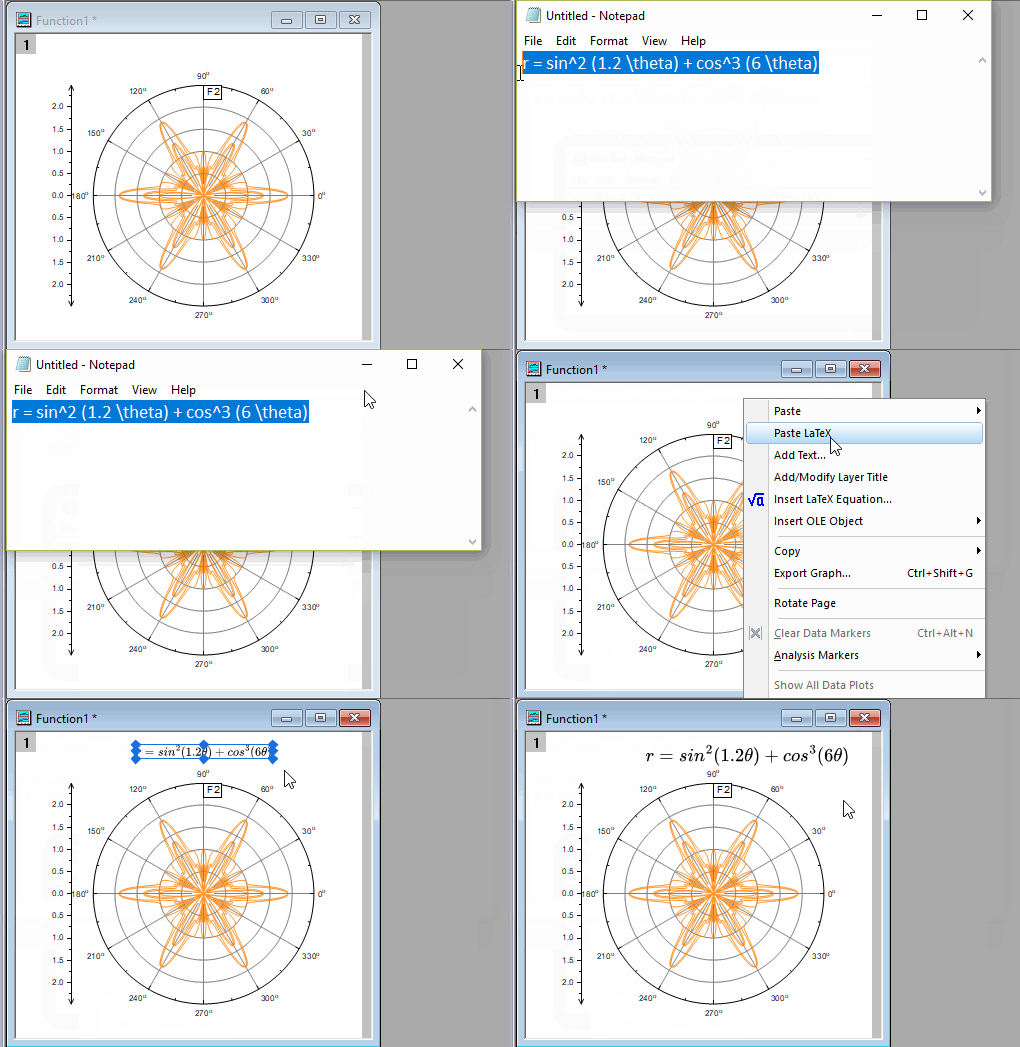
- You can also insert LaTeX equation in axis title, legend, or any text objects:
- Double click on the text object to enter in-place edit mode.
- Right click and select Insert: LaTeX Equation from context menu, or press Ctrl + L to open the LaTeX Equation Editor.
Note that LaTeX equation inserted into worksheet column label rows (e.g. Long Name, Unit and Comments) will be auto-rendered in axis title and legend.
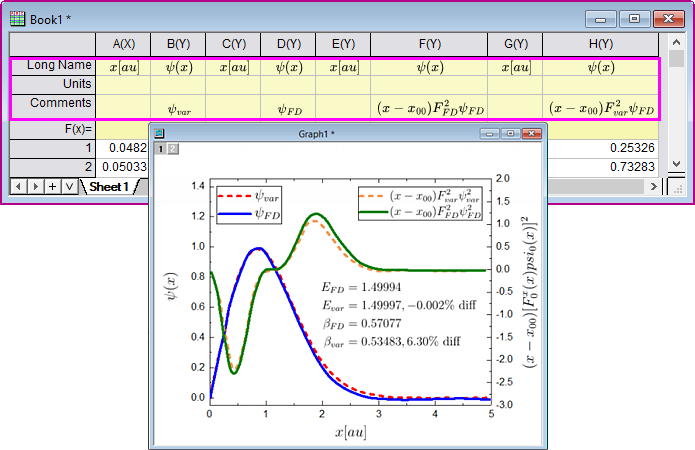
- MathJax supports many third party extensions. To install these extension files, select Tools: Latex Extensions. See details in the next section.
 | If you want to use MathType to insert equation,
- please use Insert Object button
 . See details in below section. Or, . See details in below section. Or,
- you can set system variable @MKX = 1 and @IEE = -1 to back to the old behavior.
|
| Lear more methods to insert equation in Origin, please refer to this FAQ.
|
LaTex Extensions

- To install a third party extension,
- Select Tools: LaTeX Extensions menu to open the dialog.
- Click Install button. This will open the Install MathJax Extensions dialog. Click ... button to the right of MathJax Extension files box. In the pop-up mult-files browser, pick the desired .js extension file(s) and click OK button to add them to MathJax Extension files.
- Click OK button to return to LaTeX Extensions dialog.
- Click Close button.
- Now try your LaTeX equation in the LaTeX Equation Editor.
- To uninstall a third party extension,
- Select the one you want to remove in the above list box, and then click Uninstall button.
| There may be some complex syntax/symbol that is not supported by MathJax extensions, e.g. some chemical figure suported by chemfig MiKTex extension. For such needs, please try
OR,
|
Insert other OLE object
Note: To make use of these Tools toolbar buttons, you must have the supporting application(s) (e.g. MS Word) installed to your PC.
 / Insert Excel Object
  buttons (Tools toolbar). An object will be added and the corresponding application will open so that you can add content to the object.


