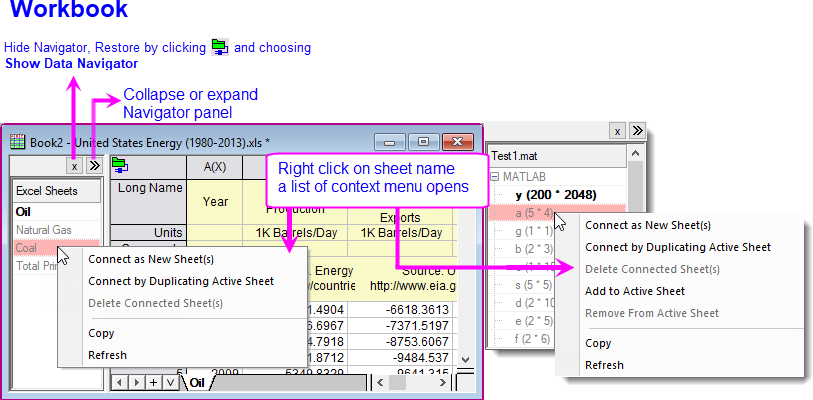
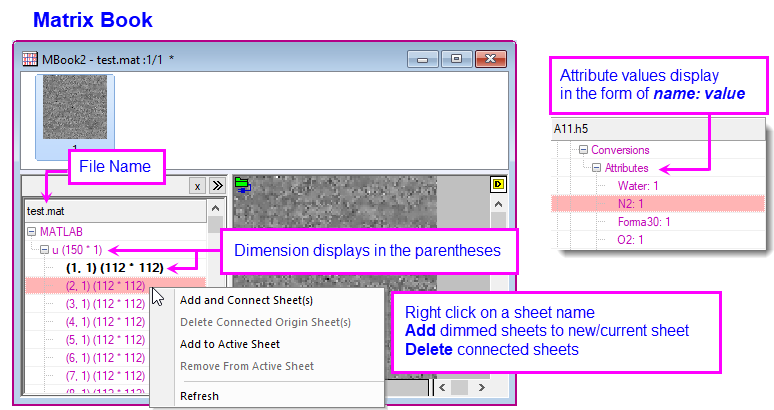
The Data Navigator is a collapsible panel that is automatically added to the workbook/matrix book when you connect to multi-page files such as Excel, MATLAB or Origin Projects.
| Connect as New Sheet(s) | Import selected object(s) as new sheet(s) by default settings. |
|---|---|
| Connect by Duplicating Active Sheet | Import selected object(s) as new sheet(s) by settings (including meta data handling, partial import, LabTalk scripts running after import, etc.) of the current sheet. Note that post import actions such as deleting some columns will also be remembered as current sheet settings. |
| Add to Active Sheet | append selected table(s) as new columns to current sheet by default import settings. |

This adds a new Natural Gas tab to the workbook and connects to the data in the Excel sheet.

| Note: Data brought in using Connectors are locked from editing and will not be saved with the project file, by default, if the import file size ≥ 500kB. See these topics: |